Back

Back

we-go
Automation

Smarter Content Workflow

we-go
Automation

Smarter Content Workflow

we-go
Automation

Smarter Content Workflow

Year

2026

Role

UX Designer

Skills

User Research DesignOps Workflow Design Prompt Engineering AI Integration

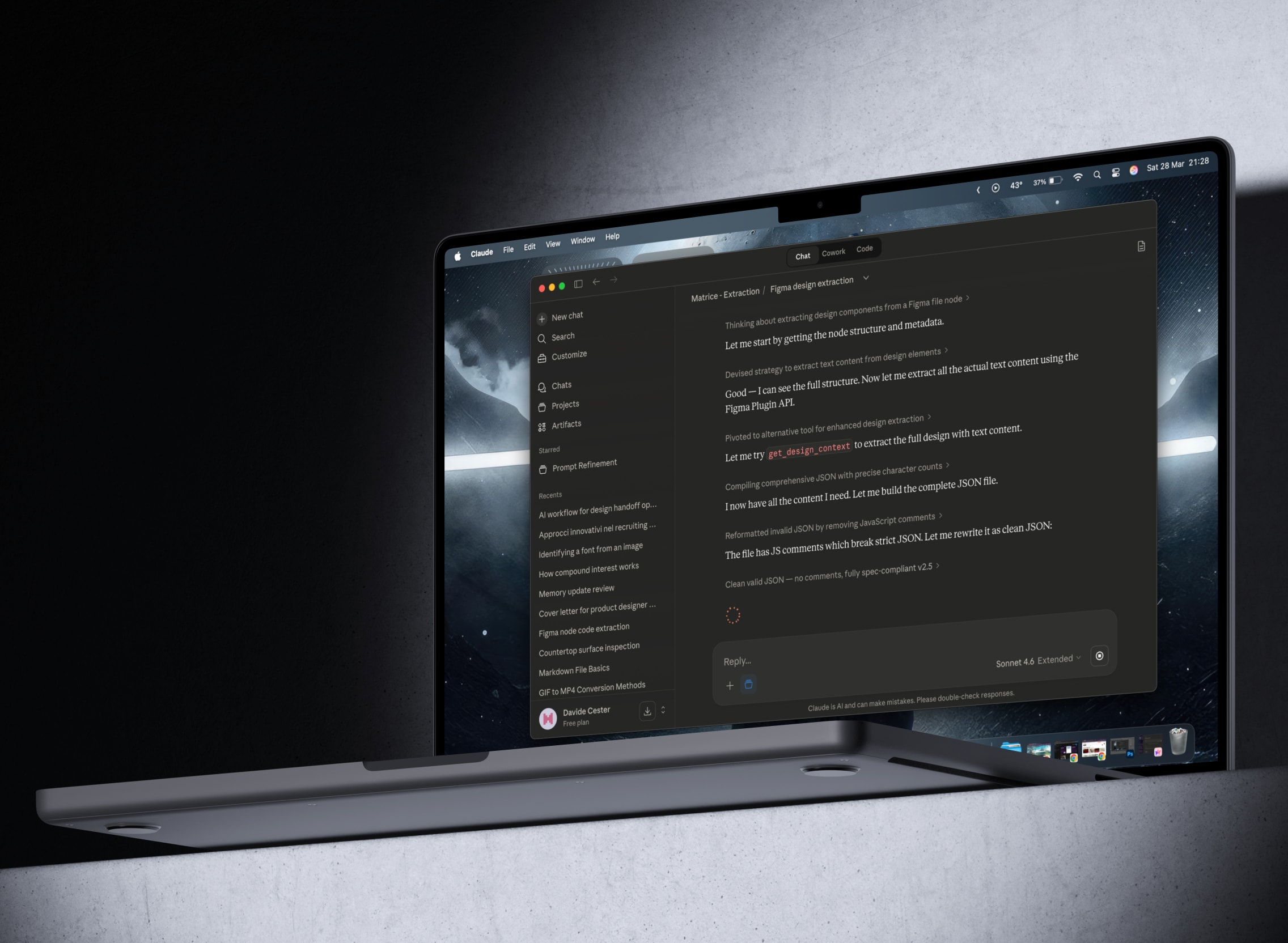
MacBook showing a Claude desktop conversation about AI-assisted Figma design extraction.

Year

2026

Role

UX Designer

Skills

User Research DesignOps Workflow Design Prompt Engineering AI Integration

The Challenge

Creating the Content Matrix was one of the most repetitive and time-consuming steps in the content workflow. It acts as the single source of truth between design and data entry: every page's copy, microcopy, navigation labels, links, and media specs must be structured there before anything reaches the CMS. In practice, this meant manually extracting everything from Figma into a spreadsheet, page by page. The process was slow and error-prone: copy-paste mistakes, inconsistent naming, and missing fields were common, and it pulled designers away from higher-value work.

The Solution

A redesigned website content workflow addressed this by introducing an AI-assisted pipeline that generates the Content Matrix directly from Figma via an MCP server. I evaluated multiple AI models and workflows across OpenAI and Claude, and selected Claude Opus for its reliability and extraction quality. The pipeline works in two steps: first, a prompt extracts copy, navigation labels, links, media specs, and estimated character limits. Then, a second step handles multilingual translation and structures everything into a spreadsheet. Designers review and validate the output before it's shared with clients for content editing and translation, or passed to whoever handles CMS data entry.

The Results

50%

Faster Matrix Builds

16h

Saved per Medium Website

2 Clicks

To Extract and Translate

Full

Team Adoption
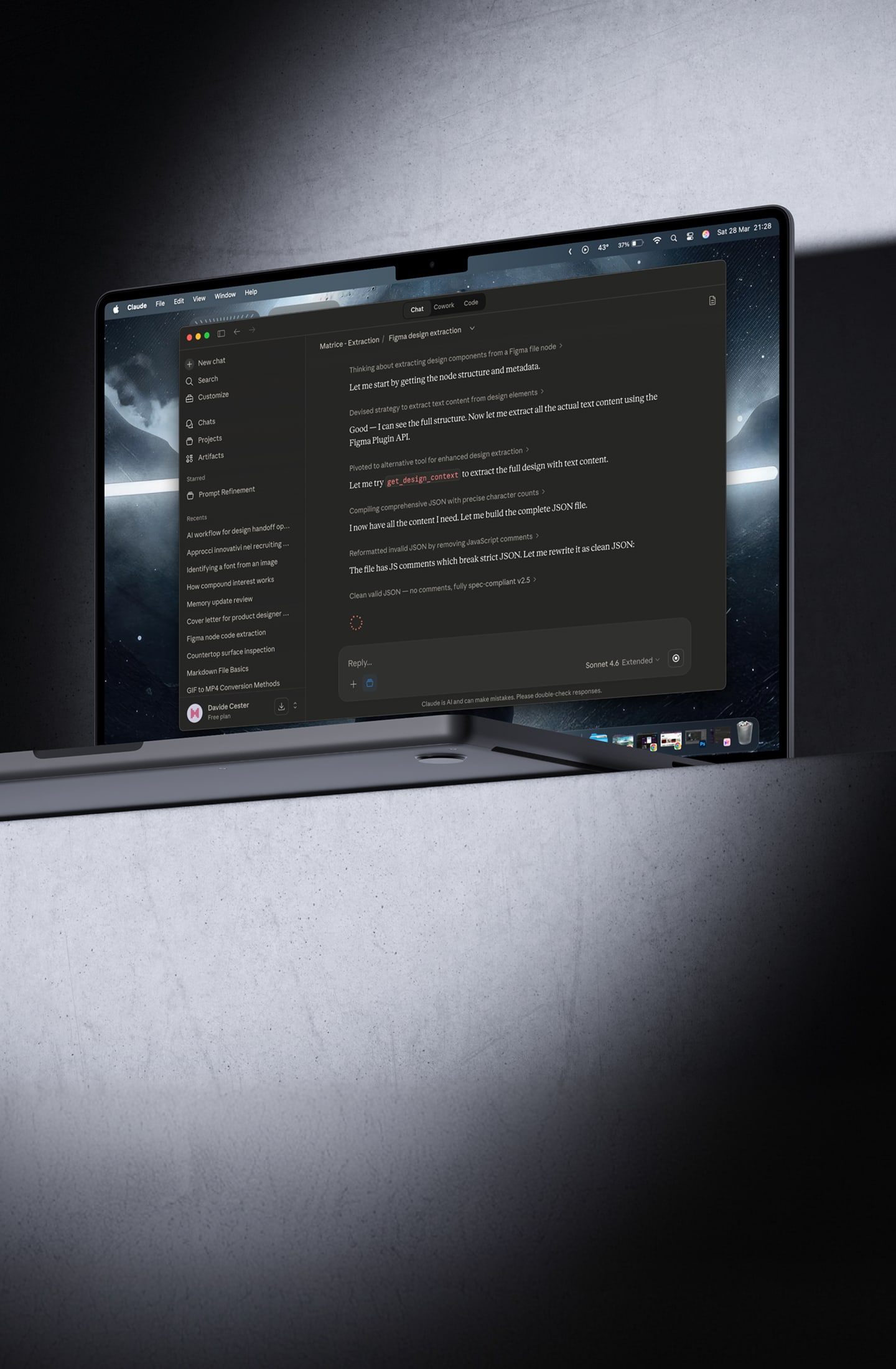
Claude Desktop chat with a prompt asking to run the extraction on a Figma link.
The Process

Understanding the workflow before changing it

Before exploring automation, I wanted to understand the workflow I was trying to improve. I met with stakeholders to define the project's goals, required content, and constraints, then interviewed designers and developers to map the existing content handoff process, understand how content was shared with clients, and uncover the biggest sources of friction. The main pain point was the repetitive manual copy-paste required to build the Content Matrix, making the process both time-consuming and prone to errors.

With the workflow mapped, I researched automation tools, AI-assisted workflows, and the capabilities and limitations of LLMs for structured data extraction, spreadsheet generation, translations, and prompt engineering. The key insight was that structured and language-based tasks benefit from different approaches, making the technology choice a design decision as much as a technical one.

Comparison poster showing Claude with Figma MCP as the best value handoff method, scoring high on all four capabilities (Figma extraction, data structuring, spreadsheets, translation) while having the lowest cost and learning curve, versus ChatGPT, Classic automation, and Hybrid automation.

Before exploring automation, I wanted to understand the workflow I was trying to improve. I met with stakeholders to define the project's goals, required content, and constraints, then interviewed designers and developers to map the existing content handoff process, understand how content was shared with clients, and uncover the biggest sources of friction. The main pain point was the repetitive manual copy-paste required to build the Content Matrix, making the process both time-consuming and prone to errors.

With the workflow mapped, I researched automation tools, AI-assisted workflows, and the capabilities and limitations of LLMs for structured data extraction, spreadsheet generation, translations, and prompt engineering. The key insight was that structured and language-based tasks benefit from different approaches, making the technology choice a design decision as much as a technical one.

Comparison poster showing Claude with Figma MCP as the best value handoff method, scoring high on all four capabilities (Figma extraction, data structuring, spreadsheets, translation) while having the lowest cost and learning curve, versus ChatGPT, Classic automation, and Hybrid automation.

Designing for reliability, not just automation
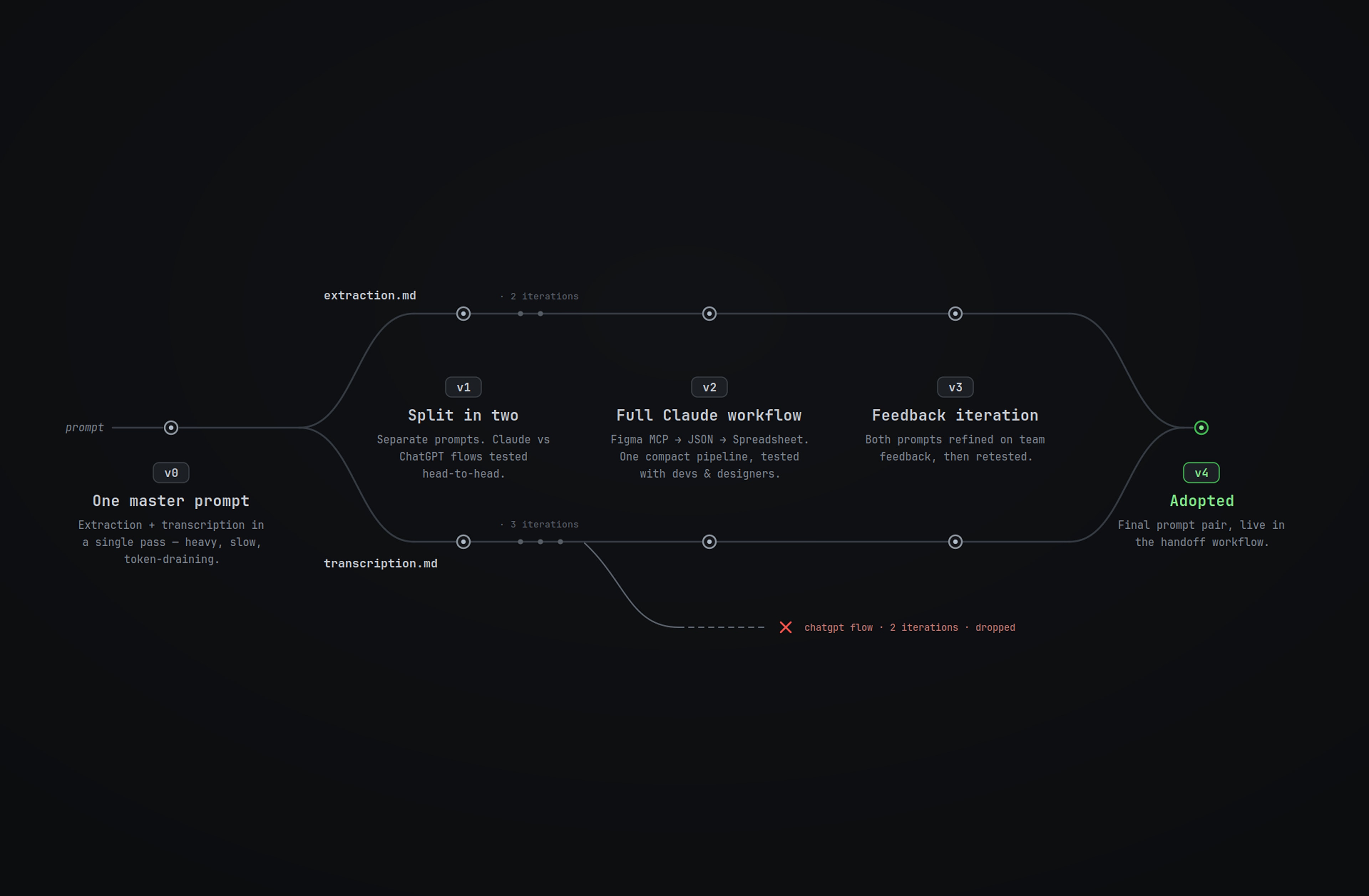
Using the research insights, I focused on tools the team was already using, keeping the solution low-budget and easy to adopt. I tested both ChatGPT and Claude, starting with one master prompt for extraction and transcription. After a few tests, I moved away from that approach: it was too long, slow to run, and more prone to inconsistent output.

I split the workflow into two prompts instead, one for extracting content from Figma and one for transcribing it into the matrix, then compared different AI flows against each other. The full Claude workflow, using Figma’s MCP server to extract the design into JSON, gave the most reliable results. From there, I kept iterating on the prompts and Figma file structure, using feedback from designers and developers to refine the workflow until it was clear, workable, and ready to use.

Timeline of prompt iterations v0–v4, splitting into extraction and transcription tracks before final adoption.

Using the research insights, I focused on tools the team was already using, keeping the solution low-budget and easy to adopt. I tested both ChatGPT and Claude, starting with one master prompt for extraction and transcription. After a few tests, I moved away from that approach: it was too long, slow to run, and more prone to inconsistent output.

I split the workflow into two prompts instead, one for extracting content from Figma and one for transcribing it into the matrix, then compared different AI flows against each other. The full Claude workflow, using Figma’s MCP server to extract the design into JSON, gave the most reliable results. From there, I kept iterating on the prompts and Figma file structure, using feedback from designers and developers to refine the workflow until it was clear, workable, and ready to use.

Timeline of prompt iterations v0–v4, splitting into extraction and transcription tracks before final adoption.

From manual copy-paste to a team-ready workflow

The final workflow turned the Content Matrix from a manual copy-paste task into an AI-assisted process designers could run and review. It starts from a cleaner Figma file, using Figma annotations when a block needs extra context, like constraints, formats, or media dimensions. Claude reads the file through Figma’s MCP server and extracts content, specs, character counts, max length estimates, and annotations into JSON. A second prompt transcribes everything into the matrix template and supports translations.

The designer validates the output, then shares it with the client for content edits, additional translations, and localization refinements. Once approved, the matrix moves to the person responsible for CMS data entry. Built around team feedback, the workflow was adopted team-wide and validated across multiple tests, reducing matrix fill time by half on a medium 10–12 page website, with fewer errors and only small final refinements needed.

Claude app Projects view showing the Transcription and Extraction content-matrix projects.

The final workflow turned the Content Matrix from a manual copy-paste task into an AI-assisted process designers could run and review. It starts from a cleaner Figma file, using Figma annotations when a block needs extra context, like constraints, formats, or media dimensions. Claude reads the file through Figma’s MCP server and extracts content, specs, character counts, max length estimates, and annotations into JSON. A second prompt transcribes everything into the matrix template and supports translations.

The designer validates the output, then shares it with the client for content edits, additional translations, and localization refinements. Once approved, the matrix moves to the person responsible for CMS data entry. Built around team feedback, the workflow was adopted team-wide and validated across multiple tests, reducing matrix fill time by half on a medium 10–12 page website, with fewer errors and only small final refinements needed.

Claude app Projects view showing the Transcription and Extraction content-matrix projects.

The strongest solution was not the most disruptive one, but the one the team could trust, run, and improve.

Extracted JSON of the homepage structure beside the final content matrix spreadsheet with areas, elements, and translations.

Wrapping up

This project sat between workflow design, research, and AI experimentation. It taught me that improving a live process means designing within real constraints: budget, learning curve, available tools, and the habits of the team who will use it. The best solution was not the most disruptive one, but the one that made the work faster, more reliable, and easier to adopt.

The strongest takeaway was the value of first-hand feedback. Testing different models and prompt structures helped define the direction, but the workflow became usable through review and iteration with designers and developers.

Paths worth exploring

Although the project is closed, it surfaced approaches worth carrying into future work: a hybrid automation with a deterministic backbone and LLM steps only where language or reasoning is needed, or an n8n flow that automates more of the process while keeping designer review as the final quality checkpoint.

Credits

This project would not have been possible without the feedback of the design and development teams, the guidance of the Design Lead, and the AI experiments from the wider we-go team, which sparked new directions to explore.


Valeria Sciacca

Design Lead

Marilisa Mastrotto

UX/UI Designer

Victoria Sartori

UX/UI Designer

Andrea Faggin

Web Developer

Niccolò Fanton

Web Developer

This project would not have been possible without the feedback of the design and development teams, the guidance of the Design Lead, and the AI experiments from the wider we-go team, which sparked new directions to explore.


Valeria Sciacca

Design Lead

Marilisa Mastrotto

UX/UI Designer

Victoria Sartori

UX/UI Designer

Andrea Faggin

Web Developer

Niccolò Fanton

Web Developer

Animated screen recording of Claude extracting node structure and design data from a Figma file via MCP.
Animated screen recording of Claude transcribing the extracted JSON into the spreadsheet template with multilingual translation.

Hey There

Curious about me?

Get a closer look at my journey, experience, and what drives my work.

Hey There

Curious about me?

Get a closer look at my journey, experience, and what drives my work.

Hey There

Curious about me?

Get a closer look at my journey, experience, and what drives my work.